Setting Low Stock Alerts for Manufacturing
Learn how to configure automated low-stock alerts in your inventory system. Never run out of raw materials again with this step-by-step guide.
Running out of raw materials mid-production is every manufacturer's nightmare. With the right automated restocking software for small shops and factories, you can prevent stockouts and keep your production line running smoothly.
In this guide, we'll show you exactly how to set low stock alerts for manufacturing using Rekavoze.
Why Stock Alerts Matter
Before we dive in, let's understand why automated alerts are crucial:
- Prevent Production Downtime: Get notified before you run out
- Optimize Inventory Costs: Don't overstock, don't understock
- Improve Supplier Relations: Order in advance, not in panic
Step-by-Step: Setting Up Stock Alerts in Rekavoze
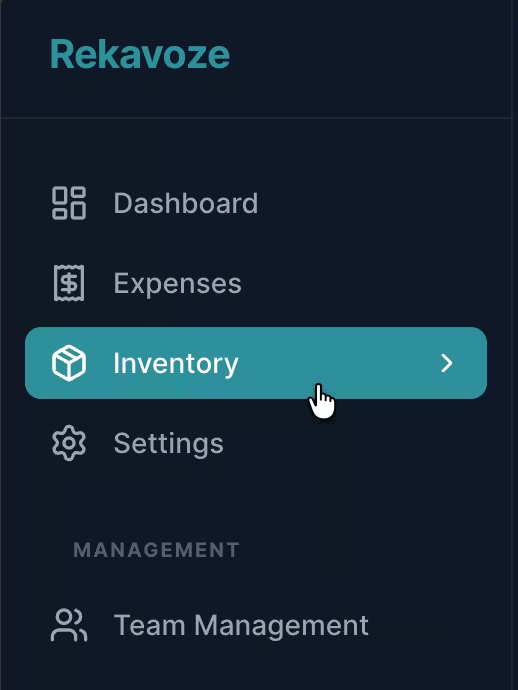
Step 1: Navigate to Your Inventory
Log into your Rekavoze dashboard and click on Inventory in the sidebar.
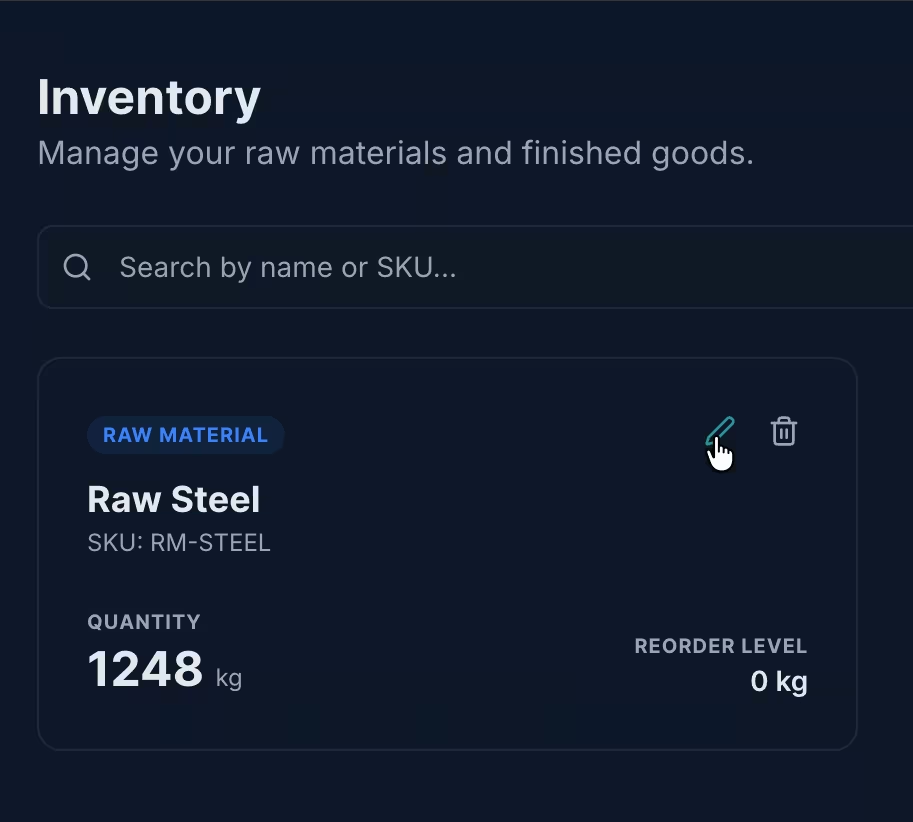
Step 2: Select an Item
Click on any inventory item you want to monitor. This works for raw materials, finished goods, or packaging.
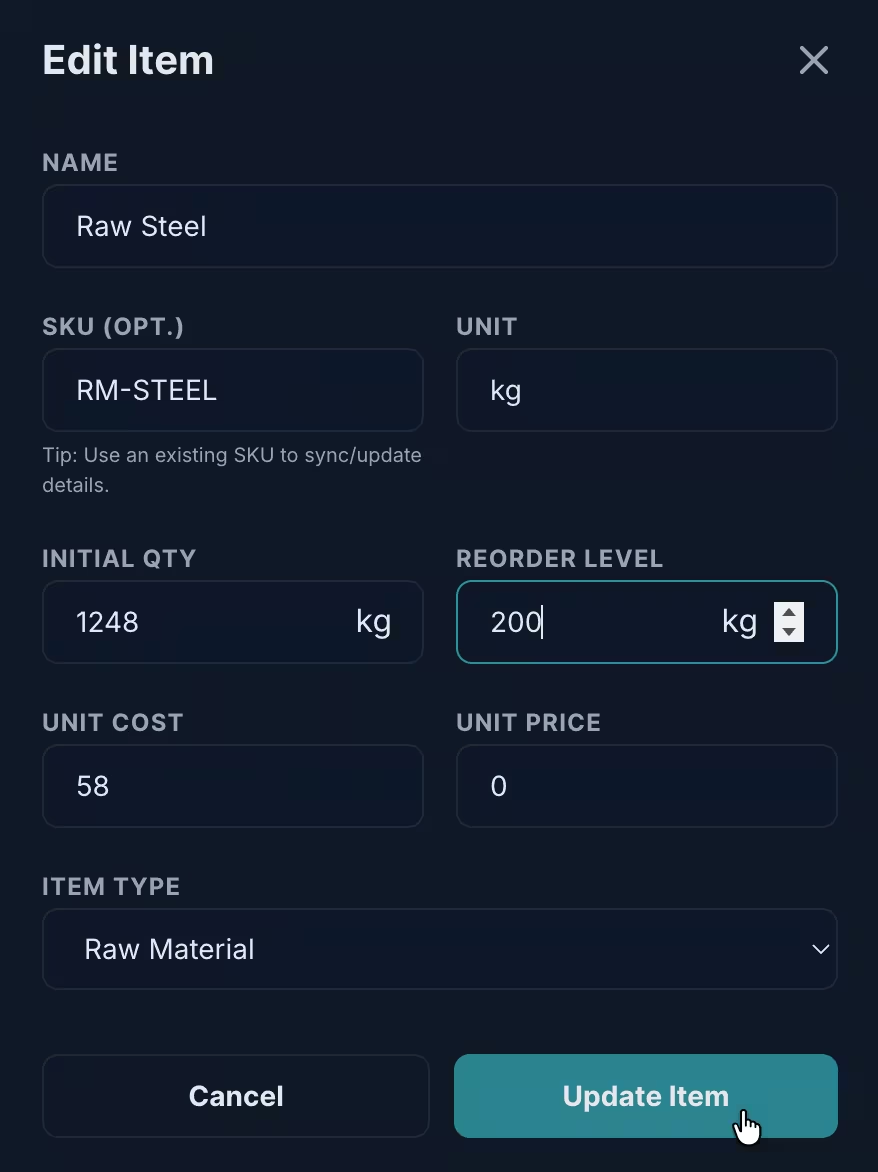
Step 3: Set the Reorder Level
Find the Reorder Level field. This is your minimum threshold. For example:
- If you use 100 kg of steel per week
- And your supplier takes 2 weeks to deliver
- Set your reorder level to 200 kg (or higher for safety stock)
Learn more about calculating reorder levels for raw materials.
Step 4: Save and Enable Notifications
Click Update Item. Rekavoze will now:
- Show a warning on your dashboard when stock hits this level
- Send you an email notification
- (Coming soon) Send WhatsApp alerts
Pro Tips for Manufacturers
- Review Monthly: Update reorder levels as your production scales
- Use Categories: Group items by category (Raw Materials, Packaging, etc.) for better organization
- Track Lead Times: Factor in supplier delivery times
Related: Material Requirements Planning
Once you've set up alerts, learn how to apply MRP principles for better material planning.
Conclusion
With proper raw material tracking software and automated alerts, you can focus on production instead of constantly checking spreadsheets. Rekavoze makes this simple and free to get started.